
If you are trying to hire a cell phone hacker for data recovery, the first question is not “Who can break into this phone?” The real question is “What is the safest, legal way to recover data I own without creating a bigger privacy or fraud problem?” Lost photos, deleted messages, damaged devices, locked accounts, and suspected phone compromise can feel urgent. That pressure is exactly why scammers target people searching for quick recovery help.
This guide explains how legitimate phone data recovery works, when ethical cybersecurity support may be appropriate, what to avoid, and how to check credentials before trusting anyone with your device, Apple Account, Google Account, SIM, or cloud backups. It is written for legal, consent-based recovery only. Do not hire anyone to access another person’s phone, messages, accounts, location, or private data without explicit authorization.
What “cell phone hacker for data recovery” should mean legally
The phrase “cell phone hacker” is easy to misunderstand. In a legal recovery context, it should mean an ethical security professional who helps an authorized owner recover access, investigate a breach, or secure data. It should not mean bypassing another person’s lock screen, stealing messages, tracking a partner, breaking into social accounts, or defeating a carrier’s security controls.
A legitimate professional will ask for proof that you own or are authorized to work on the device or account. They will explain the scope of work, recovery limits, privacy handling, fees, and what they cannot legally do. If someone promises secret access to any phone, deleted messages from another person’s device, or “undetectable” monitoring, treat that as a major red flag.
For safer context, read our guide to legal ethical cybersecurity help before hiring anyone. If your concern is that your device may already be compromised, start with signs your phone is hacked and secure your accounts first.
When you may need professional phone data recovery
Most phone data recovery cases fall into a few common categories. The right path depends on whether the data is on the physical device, inside a cloud account, inside an app, or tied to a damaged storage component.
- Accidental deletion: Photos, videos, notes, contacts, or files were deleted recently.
- Locked account: You lost access to an Apple Account, Google Account, email, or app account tied to the phone.
- Broken device: The screen, charging port, battery, or logic board failed before you could back up the data.
- Compromise or fraud: You suspect malware, SIM swap, account takeover, or unauthorized access.
- Business incident: A company-owned phone contains work data, logs, or evidence that needs careful handling.
In each case, the safest first move is to preserve the data you still have. Avoid repeatedly installing random recovery apps, resetting the phone too early, sharing your password in chat, or handing the device to an anonymous person online. If the matter involves business, legal, or fraud evidence, document what happened and consider a professional recovery or forensic provider.
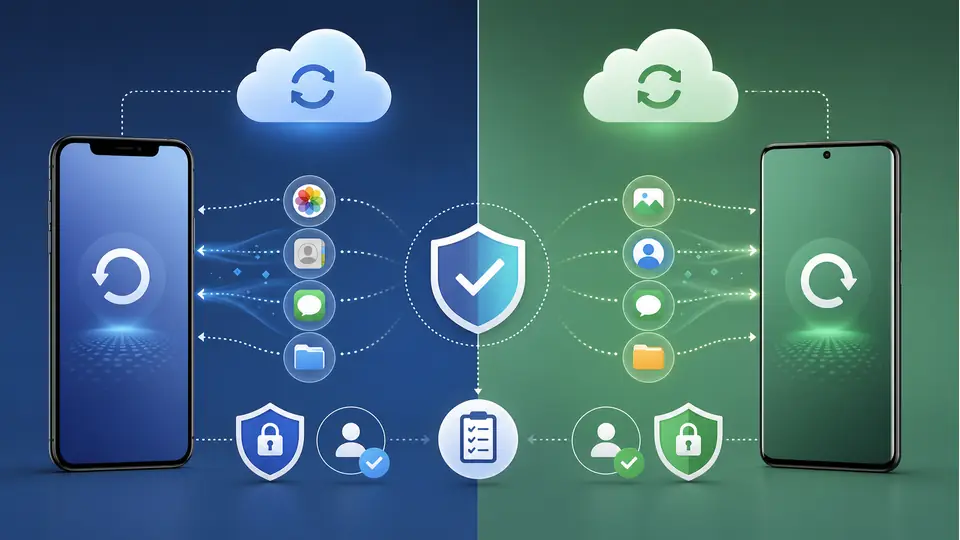
Try official recovery options first
Before you hire a cell phone hacker for data recovery, check the official options from Apple, Google, your carrier, and the app involved. These paths are usually safer, cheaper, and more defensible if the situation later becomes a legal, insurance, or workplace matter.
Apple explains that iCloud.com can be used to recover recently deleted files and restore archived information for supported iCloud data such as contacts, calendars, files, photos, mail, notes, reminders, and bookmarks. If your missing data was synced to iCloud, that should be checked before paying anyone for recovery.
Google’s Android guidance explains that Android can back up content, data, and settings to a Google Account, and that restoration depends on the phone and Android version. Google also notes that some backed-up data is protected with the device screen lock. For Android users, review Google backups, Google Photos, Google Drive, Google Messages, and app-specific backups before moving to advanced recovery.
Useful official starting points include Apple’s iCloud recovery guide and Google’s Android backup and restore guide. If your problem is account access, also read how to get a hacked account back.
How to evaluate a legitimate recovery expert
If official recovery paths do not work, you may need help from a certified data recovery company, ethical cybersecurity consultant, mobile device repair specialist, or digital forensics provider. The right choice depends on the problem.
Use this checklist before you share a device, credentials, SIM details, or payment:
- Authorization: They require proof that you own the device, account, or data.
- Written scope: They describe exactly what they will attempt and what is off-limits.
- No illegal promises: They do not offer to break into someone else’s phone or private accounts.
- Data handling: They explain how files, passwords, logs, and device images are stored and deleted.
- Transparent pricing: They avoid pressure tactics and unrealistic “guaranteed recovery” claims.
- Business identity: They have a real website, traceable contact details, terms, and professional references.
- Secure communication: They avoid asking you to send passwords through plain chat or social DMs.
For business apps, company phones, or suspected application-level weakness, a formal mobile app security audit scope may be more appropriate than casual device recovery. For an iPhone-specific recovery concern, see our related guide on iPhone security and data retrieval help.
Scam warning signs to avoid
Searches around phone hacking and recovery attract impersonators, fake “ethical hackers,” and tech support scams. The FTC warns that unexpected tech support contact can be a scam and recommends contacting trusted software or service providers directly using official contact details. That same principle applies here: do not trust someone simply because they claim they can recover anything.
Be careful if a provider:
- Guarantees recovery before inspecting the case.
- Asks for full payment through crypto, gift cards, wire transfer, or friends-and-family payments.
- Wants your Apple Account, Google Account, banking, or email password without a secure process.
- Claims they can recover messages from someone else’s phone without consent.
- Pressures you to install remote-access tools without a written scope.
- Refuses to provide an invoice, business name, privacy policy, or terms.
- Uses fear, urgency, or blackmail language.
If someone already took your money or credentials, stop communicating, secure your accounts from a clean device, contact your bank or payment provider, and report the issue through official channels such as FTC tech support scam guidance.
Safe recovery workflow before you hire anyone
Use this order of operations to reduce risk and improve your chances of recovery:
- Write down what happened. Include the date, device model, account names, apps involved, and what data is missing.
- Stop making unnecessary changes. Avoid factory resets, repeated installs, or risky recovery apps until you know where the data may live.
- Check recently deleted folders. Review Photos, Files, Notes, cloud drives, app trash folders, and desktop sync folders.
- Review cloud backups. Check iCloud, Google backups, Google Photos, Google Drive, WhatsApp backups, and app-specific recovery tools.
- Secure important accounts. Change passwords from a trusted device and review MFA, trusted devices, passkeys, recovery emails, and forwarding rules.
- Contact official support. Try Apple, Google, Samsung, carrier, bank, or app support depending on the issue.
- Escalate to a specialist. Use a vetted provider only when the official paths fail or the device has physical damage, fraud, or forensic needs.
If you decide to hire a cell phone hacker for data recovery, keep the work narrow and documented. The provider should recover or secure data that belongs to you, not perform unauthorized access. If the case involves a social media or email account takeover, our guide to safe account recovery help explains what to check before hiring outside support.
What a professional should never ask you to do
A trustworthy recovery professional should not ask you to break the law, lie about ownership, create a fake identity, install spyware, bypass another person’s privacy, or provide credentials through an insecure channel. They should also avoid telling you to wipe the phone before a proper assessment, especially if the data is not backed up.
For sensitive cases, ask whether they can work under a written agreement and whether they can preserve logs, screenshots, invoices, device details, or chain-of-custody notes. This matters if you later need to speak with a bank, employer, attorney, insurer, or law enforcement.
Cost, timing, and realistic expectations
Recovery cost depends on the cause of the loss. Recently deleted cloud files may be recoverable at no cost. A broken screen or battery replacement may be relatively simple. Logic board damage, encrypted storage, account takeover, or forensic preservation can cost more and take longer.
Be wary of anyone who promises deleted data recovery from any phone in minutes. Modern iPhone and Android devices use strong encryption. In many cases, the practical recovery path is not “hacking the phone” but finding a backup, recovering the account, repairing the device, or preserving existing data before it is overwritten.
When to contact Hacker01
Hacker01 can be a fit when you need authorized, ethical support for account recovery, suspected compromise, mobile security review, or guidance on what recovery path makes sense. We do not recommend illegal access, spying, or attempts to get into another person’s phone.
Use the contact page if you need help evaluating a legitimate recovery case. Include the device type, what data is missing, whether you own the device or account, what backup options you already checked, and whether the issue involves fraud, compromise, or physical damage.
Conclusion
The safest way to hire a cell phone hacker for data recovery is to define the job as legal recovery, not secret access. Start with official backups and manufacturer support. Check deleted folders, cloud accounts, and account-security settings. If those options fail, use a vetted ethical professional who verifies authorization, documents the scope, protects your data, and refuses illegal requests.
When money, identity, business data, or account takeover is involved, speed matters, but caution matters more. A legitimate recovery expert will help you reduce risk, not create a new one. For authorized help, contact Hacker01 with the details of your recovery issue.
FAQs
Is it legal to hire someone to recover data from my phone?
Yes, if you own the device or have clear authorization to access the data. It is not legal to hire someone to break into another person’s phone, private messages, cloud account, or location history without consent.
Can deleted phone data always be recovered?
No. Recovery depends on the device, backup settings, encryption, how long ago the data was deleted, whether the storage has been overwritten, and whether the data exists in a cloud or app backup.
What should I check before paying for phone data recovery?
Check iCloud, Google backups, recently deleted folders, app-specific backups, manufacturer support, account-security alerts, and whether the provider requires proof of ownership and a written scope of work.