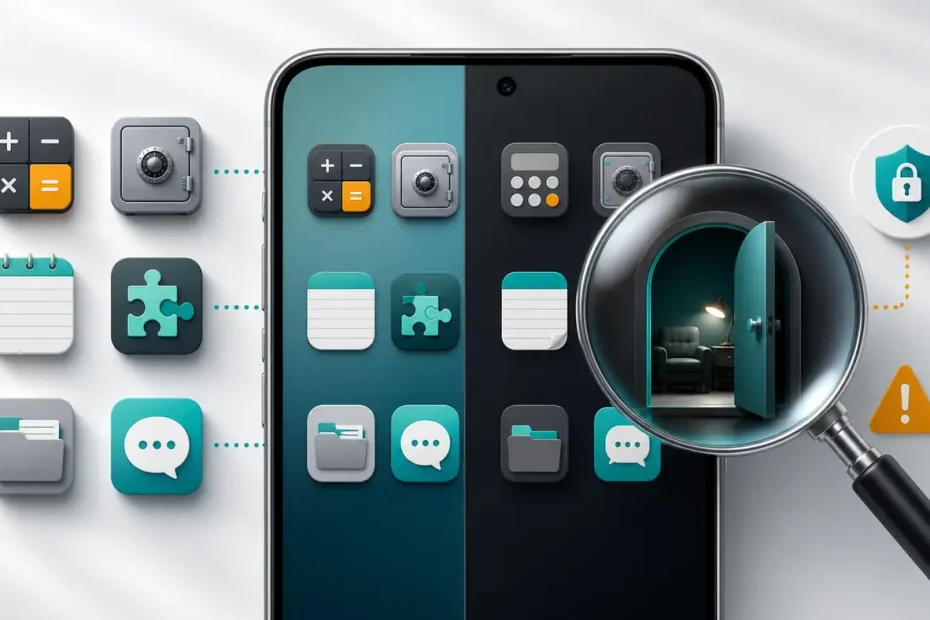
Secret messaging app icons are not always obvious chat bubbles. A private or disguised app may resemble a calculator, vault, notes tool, game, folder, or ordinary utility. But a strange icon is only a clue, not proof: iPhone and Android now include legitimate ways to lock or hide apps, and privacy apps can serve lawful purposes.
This guide shows what to look for on iPhone and Android, how to review a phone you own or manage without bypassing security, and where parental-control software such as mSpy may fit. It does not support spying on a partner, employee, or other adult without permission.
What Secret Messaging App Icons Actually Look Like
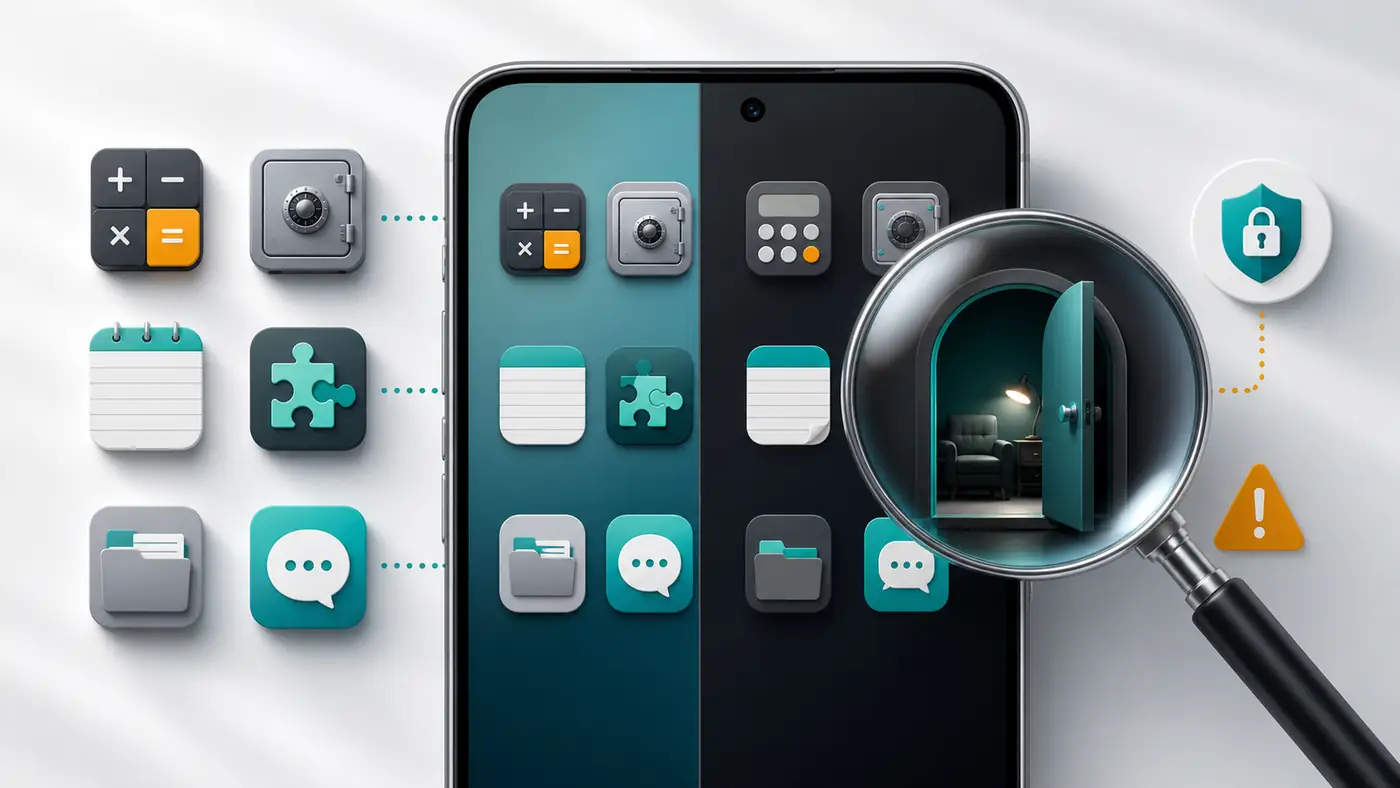
There is no universal symbol for a hidden messenger. Some apps use a normal branded icon and rely on a locked folder, hidden home-screen placement, or disappearing notifications. Others present a decoy interface. A calculator-style app, for example, may perform ordinary calculations until a PIN opens a private area. Vault-style apps may store photos or files, while some also include private browsing or messaging functions.
The most useful distinction is between three different things:
- Private messengers use encryption, disappearing messages, chat locks, or notification controls but may keep a recognizable icon.
- Vault or decoy apps may use a calculator, notes, game, or utility appearance to protect content behind a passcode.
- Operating-system hiding moves or isolates an ordinary app using features provided by Apple, Google, or a device manufacturer.
This is why a list of secret messaging app icons can never be definitive. Icons change after updates, users can remove apps from the home screen, and many harmless utilities use the same visual language. Verify the package name, developer, permissions, and store listing on a device you are authorized to inspect.
Common Decoy and Hidden-App Icon Categories
| Icon category | What it may represent | What to verify |
|---|---|---|
| Calculator | A working calculator that may unlock a vault after a code is entered. | App name, developer, storage use, permissions and official store description. |
| Vault, lock or safe | Protected photos, files, notes, browser data or private areas. | Whether it is a legitimate privacy tool and what data categories it accesses. |
| Notes or documents | Password-protected notes, disguised storage or ordinary productivity software. | Developer identity and whether its permissions make sense for a notes app. |
| Game or puzzle | A decoy interface, hidden space, or simply a real game. | Screen-time history, storage, package information and store page. |
| Utility or folder | App hider, parallel app profile, file manager or manufacturer privacy feature. | Installed-app settings and administrator or accessibility privileges. |
| Ordinary chat bubble | A mainstream or lesser-known private messenger. | Exact app name, publisher, encryption claims, age rating and safety controls. |
Do not download random “icon lists” or APK scanners that promise to reveal hidden chats. Those files can be outdated, invasive, or malicious. The phone’s settings and official app stores provide stronger evidence than a screenshot of an icon.
How to Find Hidden Messaging Apps on an iPhone You Manage
Recent iPhone versions can lock an app with Face ID, Touch ID, or a passcode and move it to the Hidden folder in App Library. Apple’s hidden-app guidance notes that hidden apps are not invisible everywhere: their names may still appear in authenticated app settings, Screen Time, battery information, and App Store purchase history. For a child in Family Sharing, a parent or guardian may also be able to see download and usage information depending on age and configuration.
- Swipe left through the Home Screen to open App Library and look for the Hidden folder at the bottom.
- Open Settings > Apps and review the complete installed-app list.
- Check Settings > Screen Time on a family-managed device for app activity and restrictions.
- Review Settings > Battery for apps consuming power even when they are not prominent on the Home Screen.
- Check App Store purchase history for the account you are authorized to manage.
Do not attempt to defeat Face ID, guess a passcode, or enter another person’s Apple Account. If the phone belongs to another adult, ask for consent and review it together.
How to Find Hidden Messaging Apps on Android
Android varies by manufacturer, launcher, and version. Android 15 introduced Private Space on supported devices. Google’s Private Space documentation describes it as a separate area that can isolate apps behind another lock and hide the container when locked. Samsung and other manufacturers may offer their own secure folders or app-hiding controls.
- Open Settings > Apps and display all installed apps, including disabled apps where available.
- Review Security & privacy for Private Space, secure folders, device administrators, accessibility access, notification access and VPN profiles.
- Check the Play Store’s installed and previously installed app lists for the managed Google Account.
- Review battery and data usage for unfamiliar packages.
- Open an unfamiliar app’s information page to compare its package, developer and permissions with its claimed purpose.
Private Space itself is not proof of misuse. Google built it for legitimate privacy, and its availability can be restricted on managed or supervised devices. Focus on agreed family rules, risky contacts, unexpected permissions and age-appropriate safety rather than treating privacy as guilt.

Where mSpy Fits for Authorized Parental Monitoring
Manual checks answer “what is installed now,” but they do not create an ongoing safety process. According to its current feature and compatibility page, mSpy offers an installed-app viewer alongside browser history, location, app blocking, message-related features, keyword alerts and screen capture. Feature availability is not identical across Android and iPhone: mSpy says Android generally requires physical access for installation, while iPhone setup may require physical access or iCloud credentials, and installation method affects what is available.
mSpy may suit parents who need more than screen-time limits
Potential fit: a parent or legal guardian managing a child’s compatible device who wants app inventory and broader safety visibility from one dashboard.
Check before buying: exact phone model, operating-system version, installation method, required permissions, supported apps, renewal terms and refund conditions.
Not an appropriate use: secretly installing it on a partner, employee, tenant, customer, or another adult’s phone.
Check mSpy Compatibility and Current PricingAffiliate disclosure: Hacker01 may earn a commission if you purchase through this link, at no additional cost to you. This does not change our requirement that monitoring be lawful and authorized.
mSpy should not be treated as a magic detector for every disappearing message or hidden app. Encrypted services, operating-system updates, permission changes and installation choices can limit collection. Start with the least intrusive control that addresses the actual concern. Apple’s Screen Time and Google’s Family Link may be enough for app limits and family supervision; a paid product is more defensible when you have a specific safety need that built-in controls do not meet.
How to Choose Monitoring Software Without Buying the Wrong Tool
A high-converting software recommendation still needs a fair buyer test. Use this checklist before subscribing:
- Authorization: Confirm that you own the device or have clear legal authority and any required notice or consent.
- Compatibility: Verify the exact device, OS version and installation path. Do not assume Android and iPhone features match.
- Feature fit: Decide whether you need app inventory, location, content filtering, alerts or message-related visibility. More access is not automatically better.
- Data handling: Review what information is uploaded, who can access the dashboard, retention controls and account-security options.
- Billing: Check the current subscription period, automatic-renewal terms, cancellation process and refund policy before payment.
- Transparency: Explain family-device rules in age-appropriate language and revisit them as the child matures.
For a wider comparison, see Hacker01’s guide to the best child tracking devices and parental-control apps. If your concern is malware rather than hidden apps, use the Android security checklist or the iPhone compromise checklist.
What to Do If You Find an Unfamiliar or Hidden App
Pause before opening private conversations or making accusations. Record the app’s exact name, developer, package information and permissions. Search the official App Store or Play Store listing. On a child’s managed phone, discuss why the app was installed and whether it follows your family rules. If an app has excessive accessibility, administrator, VPN, microphone, camera or notification permissions, review those permissions and remove the app if you own or manage the device and no longer trust it.
If you believe the app is stalkerware on your own phone, use a safer device to seek help before removing it; removal can sometimes alert the person who installed it. For relationship concerns, Hacker01’s text-message privacy guide explains why secret access is risky and what lawful alternatives exist.
Conclusion
Secret messaging app icons often resemble calculators, vaults, games, notes, folders or normal chat tools, but visual appearance cannot prove that an app is hiding conversations. Use the complete installed-app list and official device controls, verify unfamiliar software carefully, and keep reviews limited to devices you own or are authorized to manage.
Parents who need ongoing visibility can compare built-in controls with mSpy’s advertised app viewer and safety features. Check compatibility and legal authority first, then choose the least intrusive option that solves the real problem.
Frequently Asked Questions
What do secret messaging app icons look like?
They may look like ordinary calculators, vaults, notes tools, games, folders, or chat bubbles. An icon alone is not proof that an app hides messages, because legitimate privacy tools and built-in phone features can also conceal apps.
Can an iPhone hide a messaging app without changing its icon?
Yes. Supported iPhones can lock an app and move it to the Hidden folder in App Library. The app may still appear in authenticated settings, Screen Time, battery information, or purchase history.
Can Android apps be hidden in Private Space?
On supported Android 15 devices, Private Space can isolate apps behind a separate lock and hide the container when it is locked. Availability depends on the device, account, and manufacturer settings.
Does mSpy identify hidden apps?
mSpy advertises an installed-app viewer and additional monitoring features, but availability varies by operating system, installation method, permissions, and subscription. Check compatibility before buying and use it only on a device you own or are legally authorized to monitor.
Is it legal to monitor another adult's phone?
Installing monitoring software on another adult's device without informed authorization can violate privacy, computer-access, wiretap, or stalking laws. Obtain clear permission and local legal advice when needed.